
Adding Modules to the MKG Start Page
|
Operating MKG | How do you add modules to the MKG Start Page? |
How do you add frequently used modules to your start page?
After implementation, MKG is delivered by default with the start page shown below. However, it is very likely that you use other modules and need to perform other actions during your work. You can easily create your personal start page by adding frequently used modules and actions yourself.
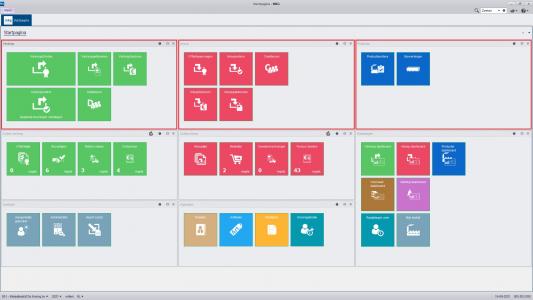
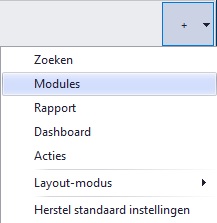
At the very top right of your screen, you will find a plus sign. The dropdown includes options such as 'Search', 'Modules', 'Report', 'Dashboard', and 'Actions'. The option 'Restore default settings' ensures that the MKG Start Page is displayed as shown in the image above.
Select the 'Modules' option. This will add an empty block to your start page. Through the gear icon, you can name this block and add your own frequently used modules from MKG, which you can then size and order as desired.
In this way, completely customize the module groups on your start page according to your own preferences. The settings are saved.
|
Knowledge Center | Related: |
- Published:24 feb 2026 23:10
- TypeHandleidingen
- Category
- Product
- AvailabilityOpenbaar